

Working with coding agents
Coding agents write code fast – but they can only be as good as the environment they work in. To build a real Laravel application, an agent needs to run PHP, migrate a database, send an email, read the logs, look at the result in a browser and fix what’s broken. Herd gives your agent all of that on your Mac. Every application has a real.test domain, services like MySQL and Redis are one command away, and the Herd CLI lets agents read mails, dumps and logs without asking you to copy and paste anything. Herd and a coding agent are a perfect match for working on applications locally.
It doesn’t matter which agent you prefer. Herd works with Claude Code, Codex, Cursor, and any other agent that can run commands in your terminal – or you use Herd Studio and start building right in your browser.
Choose your harness
Herd Studio
Chat with an agent right next to a live preview of your site, review its changes and run terminals in your browser.
Your own agent
Use Claude Code, Codex, Cursor or any other agent in your terminal or IDE, and give it access to Herd via the CLI and MCP.
Herd Studio
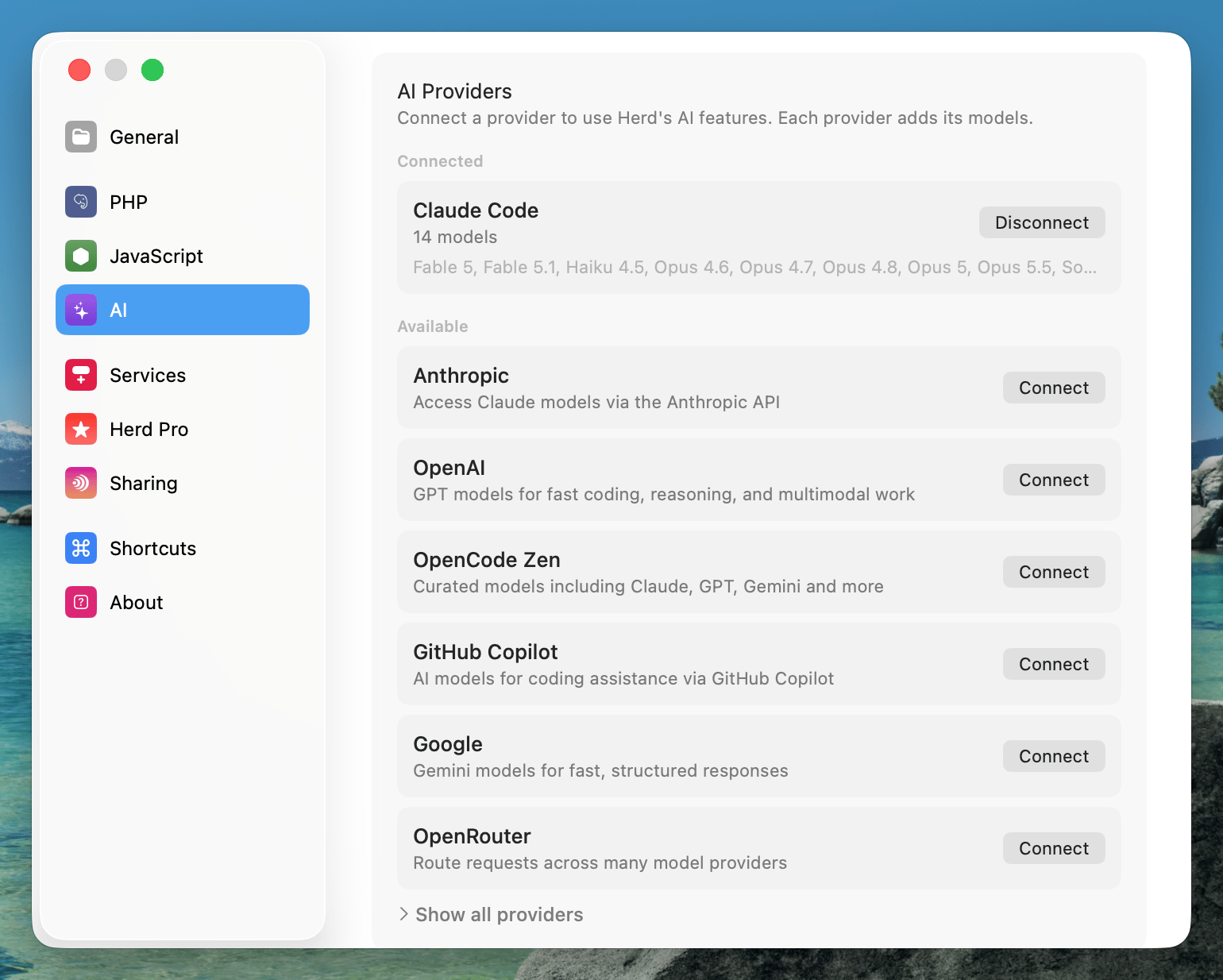
Herd Studio is the harness that ships with Herd. Enable it in the AI tab of the settings, connect your AI provider and open any.test site to start a conversation with an agent. Herd Studio uses the bundled opencode to talk to your provider, so it works with Anthropic, OpenAI, Google, GitHub Copilot, OpenRouter and many more.
Claude Code, Codex, Cursor and others
If you already have a favorite agent, keep using it. Agents that run commands in your terminal can use the Herd CLI right away, because Herd addsherd, php, composer, laravel and node to your PATH. With the Herd MCP server, your agent gets structured access to your sites, services and PHP versions on top.
Give your agent access to Herd
The Herd MCP server
Herd ships with an MCP server that gives agents tools to find and install services, manage PHP versions, secure sites and debug requests. The easiest way to set it up is Laravel Boost, which installs the Herd MCP server for your agents automatically. You can also add it manually – see AI Integrations for the configuration of Claude Code, Cursor and other clients. If you want your agents to use Herd in every project, turn on “Use Herd in your coding agents (MCP)” in the AI tab of the settings.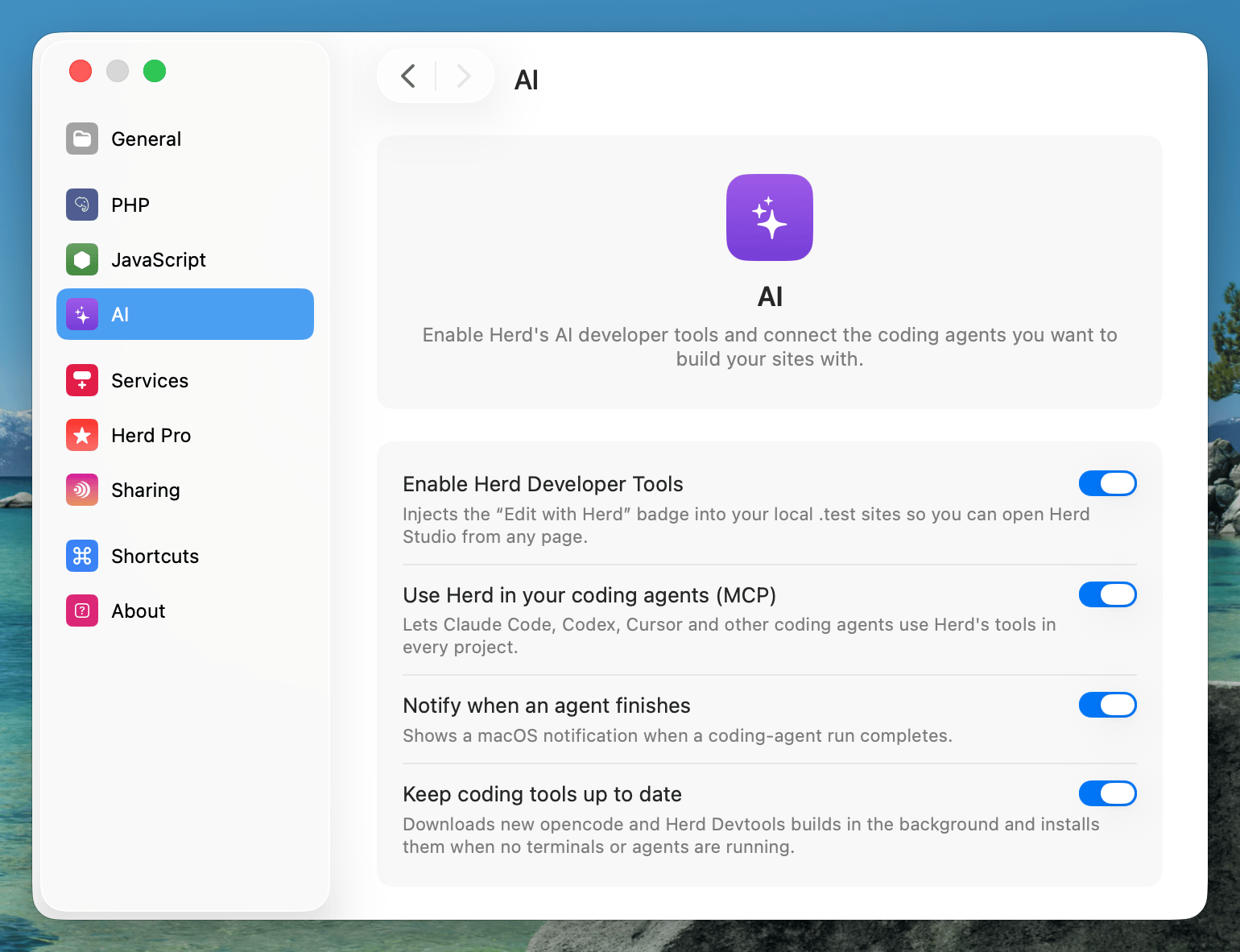
The Herd CLI
The Herd CLI is the most powerful integration for agents. Every command explains itself viaherd help COMMAND, and many commands support a --json option that returns structured output instead of tables.
Tell your agent about Herd
Agents work best when they know which tools they have. Add a short section to the instructions file of your project –AGENTS.md, CLAUDE.md or your agent’s equivalent – so that your agent reaches for Herd instead of guessing:
AGENTS.md
Workflows that just work
Test the full sign-up flow
A classic task that agents struggle with: registering a user and verifying the email address. With Herd, your agent submits the form, waits for the email, and follows the link – all from the terminal.mail:wait only returns mails that arrive after the command started, so the agent never picks up an old email by accident. Learn more about the mail server.
Debug with Insights
When a page is slow or returns the wrong data, your agent can add adump(), reload the page and read what happened – including every executed query – without you copying anything from the browser.
herd insights:analyze goes one step further and points your agent to N+1 queries, duplicate and slow queries, errors and slow requests – with the file and line that caused them. Learn more about Insights.
If an error ends up in your log file, open it in the Log Viewer and click “Fix with AI” to hand the entry with its stack trace directly to an agent in Herd Studio.
Set up services and databases
Agents can check which database a site uses, create new databases and switch services without touching configuration files by hand. Herd Pro users can even install services like MySQL, Redis or Meilisearch from the command line.herd.yml file to your repository. herd init installs the right PHP version and services in one step.
Let agents work in parallel
When one agent works on a feature, another one can fix a bug at the same time. Workspaces give each agent its own copy of the application on its own branch and domain – optionally with its own database – so they never overwrite each other’s changes.Share and ship
When your agent builds a webhook integration, runherd share to get a public URL via Expose that services like Stripe can call. Once everything works, deploy the application to production with the Laravel Cloud integration.
Tips
- Run your agent in the project directory. Most Herd commands detect the site from the current directory, so your agent doesn’t need to pass site names.
- Keep Herd running. Commands like
herd status,herd site:info,herd mail:*andherd insights:*talk to the Herd app. - Pass arguments instead of answering prompts. Some commands ask questions when you omit arguments. Agents usually can’t answer interactive prompts, so Herd tells them which argument or option to pass instead.
- Turn on runtime context. Run
herd insights:capture onso thatdump()calls, queries, logs and jobs end up in Herd, where your agent can read them.